
Bulk scanning
Bulk card scanner.
A bulk card scanner app should reduce repeated entry without hiding review. Card AI keeps up to 10 camera or gallery items in one queue before you confirm them.
 DownloadApp Store
 Store Link PendingGoogle Play
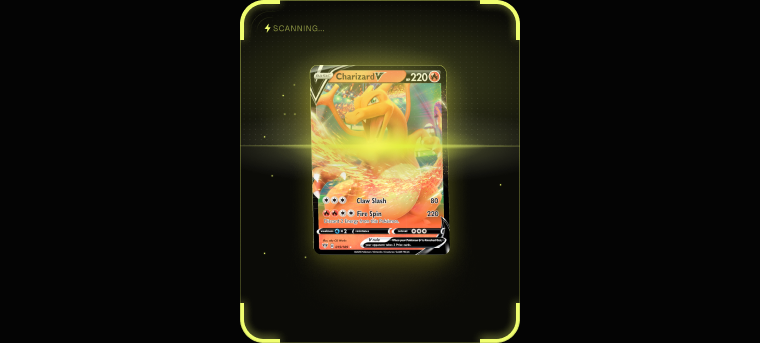
Review a batch before it reaches your collection.
The Scan queue keeps up to 10 camera or gallery items together while matches are processed. Confirm each card, then move the batch into the collection tracker.
Illustrative Card AI screen composite. Values shown are examples; market prices, history, and sold-listing availability depend on the selected card.
The bottleneck is entry, not identification
Looking up a single card is easy and always has been. What defeats people is volume: a few thousand cards, most of them low value, with the ones that matter buried somewhere inside.
A batch card scanner is built for that shape of problem. Add up to 10 camera captures or gallery selections to the current queue, review each suggested match, then continue with the next batch. It does not continuously auto-capture cards or read an entire binder page in one shot.
Find the keepers inside the bulk
Most of a collection is worth very little and a small part carries almost all the value. You cannot tell which is which until everything is identified and priced.
Scanning the whole stack surfaces that split, so the cards worth sleeving, grading or selling stop being invisible.
Everything lands in one collection
Each result enters Review with its matching card record. Confirm the card, choose its finish and language, and set a raw condition or existing slab grade before adding it to your collection. There is no separate spreadsheet or import step to reconcile.
Related
Bulk card scanner questions.
Can I scan multiple cards at once?
Yes. The current Scan queue holds up to 10 camera captures or gallery selections together. Confirm or remove those results, then continue with the next batch in the same session.
Do I have to confirm each card?
Scan results are reviewed before they are added, which is where you confirm the printing and set the condition or grade for each card.
Does bulk scanning work across different games?
Yes. Cards from supported games can share the same collection, so a mixed stack of supported categories does not need a separate collection for each game.
Is this an AI card scanner or manual entry?
The AI TCG card scanner suggests likely catalog matches; you confirm the matching card, finish and language, then set condition or grade before adding it. That review step keeps a fast batch run grounded in the card you actually own.
Try the bulk card scanner in Card AI.
Work through the next stack, review every match, and add confirmed cards together.
DownloadApp Store
Store Link PendingGoogle Play