
Pokemon card scanner and value checker.
Identify a Pokémon card from one photo, then confirm the set and full number. Start here without installing an app.
Identify your Pokémon card here.
Choose one clear photo of the card front. Crop it to the card edges before selecting it, and keep the whole card in view.
Compare the matching cards.
Check the artwork, full card number, set and finish against your copy. These are catalog candidates. For a separate visible-condition estimate, use AI pregrading; catalog matching does not authenticate or grade a card.
Search by name or number.
Have the card number, or need another way to find it? Use text lookup.
Confirm your Pokémon printing.
Compare the set, full collector number, language and finish with the card in your hand. Open a candidate to inspect its published price and observation date. For text research, use the Pokémon card database; the card price checker explains price context.
Scan sports cards instead. Website scans return reference candidates and do not change your app collection or scan allowance.
Scanning and collection tools in the iPhone app
Pokemon
Pokemon card scanner and value checker.
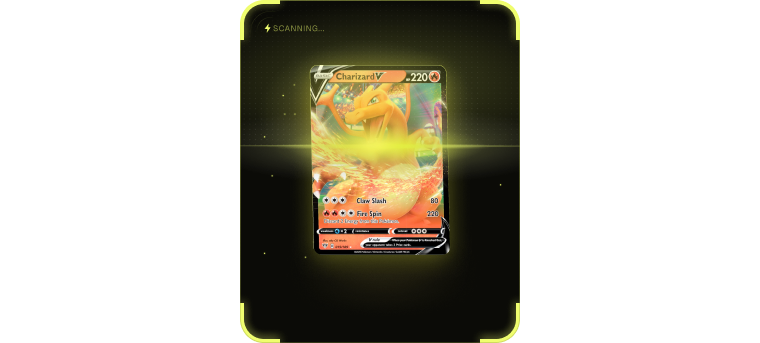
In the CardScanFox app, photograph a Pokemon card to find likely catalog matches. Confirm its printing before checking available prices or adding it to your collection.


Review the printing before checking its value.
CardScanFox suggests likely set and card-number records. Confirm edition, artwork, finish, and language, then inspect the selected card in the card price checker.
Illustrative CardScanFox screen composite. Values shown are examples; available market prices and history depend on the selected card.
Why the exact printing decides the price
Two Pokemon cards can show the same artwork and the same name and be worth very different amounts. What separates them is the printing: the set, the card number, whether it is a first edition or unlimited run, and whether the card is holo, reverse holo, or non-holo.
CardScanFox compares the photo with its catalog and suggests likely records with the set and card number. Review the result and confirm the edition, variant and finish before using that printing's market price.
For a current set example, use the Pokemon TCG 30th Celebration price guide to compare 30C and 30C-CC records before you confirm a scan. The Pokemon TCG set card list guide covers Prismatic Evolutions, White Flare, Surging Sparks, Paldean Fates and Shrouded Fable. For the same Pokemon across different sets, the Minior card guide separates Paradox Rift printings from Guardians Rising and from the Pokemon GO game event.
Raw and graded Pokemon cards are priced separately
Grading changes what a Pokemon card is worth, sometimes by an order of magnitude. CardScanFox keeps the two apart instead of averaging them.
- Raw copies are tracked by condition, so a near-mint card and a lightly played one are not treated as the same asset.
- Graded copies are recorded with the grading company and grade, covering PSA, BGS, CGC and SGC.
- The same card can sit in your collection more than once, as a raw copy and a PSA 10, each with its own value.
You record the grade from the slab yourself. Use the separate AI pregrading tool to estimate visible condition before submission; keep that estimate separate from an existing certified grade.
Scan a stack, not one card at a time
Most Pokemon collections are not one rare card, they are boxes of bulk with a few keepers inside. The current Scan queue keeps up to 10 camera captures or gallery selections together for review, so you can work through a stack in batches and add confirmed cards to the same collection.
From a photo to a price and a collection record
The Pokemon card price checker in CardScanFox starts with the catalog record you confirm, not the character name alone. Scan in the app or search by set and number, review the suggested printing, then open its available raw or graded prices and history. If you own that copy, save it to your collection; otherwise keep it on your wishlist.
The app does not guarantee a match from every photo or a published price for every record. A marketplace listing and the published price are different references, so check the price date before acting.
Check a card list before confirming the scan
Use the searchable English Chaos Rising card list, Ascended Heroes card list or Phantasmal Flames card list to find the official numbered entry and compare separately dated CardScanFox reference prices. The website lists are available to browse; scanning and saving cards remain app workflows.
For a character name, start with the Pokemon card value guides. Compare Cufant printings, Ivysaur from 151 and Base Set or Rayquaza VMAX numbers before choosing a candidate. The Moonbreon guide, Charizard 151 guide and Pikachu card value guide cover other selected records. A nickname or familiar character is a useful search clue, not proof of a match.
Check similar artwork and reprints in Review
A familiar image can appear on more than one product. Read the full collector number and inspect product stamps, card size, language and finish before you confirm a catalog match. For example, the Charizard GX guide separates Hidden Fates 9/68 from a Battle Academy stamped record, while a Rayquaza VMAX number can also appear on a jumbo card.
Compare the Mew GG10 and Mewtwo card numbers and the Mega Charizard X ex printings for more examples of why the full number and artwork matter.
CardScanFox suggests likely records for you to review. It does not guarantee that a photo alone resolves every reprint or edition. If the visible details do not match, use catalog search and keep the record unconfirmed until you can identify the copy.
Watch your Pokemon collection value move
Once cards are in your collection they behave like a portfolio. CardScanFox totals what you own, keeps price history on individual cards, and updates as the market moves, so you can see whether a set is appreciating before you decide to sell or keep buying.
Related
Pokemon card scanner questions.
What should I look for in the best Pokemon card scanner app?
Look for a workflow that shows likely set and card-number matches, lets you confirm edition, finish and language, separates raw condition from an existing slab grade, and keeps available price history with the saved card. Use the separate AI pregrading tool for a photo-based condition estimate. A scanner match does not authenticate a card or certify its grade.
Is this a free Pokemon card scanner app?
CardScanFox is free to install from its current iPhone App Store listing. Free access includes a lifetime total of 10 successful scans, with no daily or monthly reset. The 10-image queue is a separate capacity limit and does not add free scans. The app is also available on Android. Check the current store listing and in-app terms for your platform.
Can CardScanFox tell a first edition Pokemon card from an unlimited print?
The scan suggests likely catalog records, but you should check the edition marking and confirm the matching record and finish in Review because they materially change the value.
Does the Pokemon card scanner work on Japanese cards?
Language is tracked as part of a card record, so Japanese and English copies of the same card are stored and priced as separate entries in your collection.
What is my Pokemon card worth?
Select the matching catalog record, confirm its edition and finish, and choose a raw condition or existing slab grade. CardScanFox then shows the relevant market price and available price history.
Can I use CardScanFox as a Pokemon card value scanner?
Yes. Scan a card photo to find likely catalog records, confirm the set, number, finish and language, then open the selected record to see its available price and history. The scan suggests a match; it does not authenticate the card or guarantee an exact printing.
Is there a Pokemon card price checker built in?
Yes. Scanning is the fast route, but the Pokemon card price checker also searches the catalog by name, set or number. Open a matching record to check its current market price, then add it to the same collection tracker if you own it.
Is the Pokemon card value scanner the same as the price checker?
They reach the same record. The Pokemon card price scanner reads the card from a photo; the checker finds it by search. Either way you land on the same printing with the same market price and history.
Scan Pokemon cards in the CardScanFox app.
Scan Pokemon cards, confirm the exact printing, and track raw or graded copies in one collection.
Check a Pokémon card without a photo.
Search the Pokémon card database and price references by name, set and collector number. Have the physical card? Use the app workflow above to identify candidates, confirm the printing and track your holdings.
Need help with a specific card? Read the Gengar, Eevee and Mewtwo printing guides.