
Identification
Trading card identifier.
Use Card AI as a trading card scanner app when the card is in front of you: it narrows the catalog to likely matches, and you confirm the printing that decides the price.
 DownloadApp Store
 Store Link PendingGoogle Play
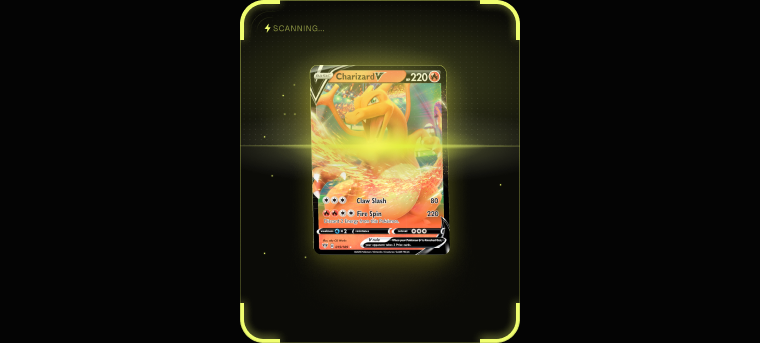
See the candidate before you confirm the card.
A scan suggests catalog records with details such as set and card number. Review the candidate, confirm finish and language, then continue to the card price checker.
Illustrative Card AI screen composite. Values shown are examples; market prices, history, and sold-listing availability depend on the selected card.
Naming a card is the easy half
A card name alone is not enough, because the same name can cover printings that trade at very different prices.
Card AI compares the photo with its catalog and suggests matching card records with the set and card number. You review those candidates, select the correct record, and confirm details such as finish and language before adding the card.
What the card photo scanner reads
- Card set identifier: the set attached to each suggested catalog match
- Card number identifier: the collector or card number within that set
- Card rarity: when that information is available in the catalog
- Card variant and edition: details to verify against the selected record
- Holo or foil finish: a field you confirm in Review before saving
This review step matters because near-identical printings can have different prices. The scan narrows the catalog; you confirm the specific copy you own.
Card search by photo, or by text
When you need to identify a trading card from a photo, camera scanning narrows the same catalog used by text search. Point the camera at the card for AI-assisted matching, or search by name, set or card number when the card is not in front of you.
Open the matching card record to review its available details and market prices before adding it to your collection.
Where image recognition struggles, and what to do
Card image recognition is at its weakest on near-identical printings: a reprint that reuses the artwork, a parallel that differs only by a foil pattern, or a card photographed at a bad angle under colored light.
Scan results are reviewed before they are added, which is where you confirm the printing. Good light, a flat card and a straight-on angle materially improve the first-pass result.
Related
Card identifier questions.
What does a TCG card scanner identify?
It suggests likely catalog records from the card photo, including details such as set and card number when available. You confirm the matching record, finish and language before saving; it does not guarantee an exact printing from the image alone.
How does the AI card identifier tell near-identical printings apart?
It compares the photo with the card catalog and suggests likely matches with details such as set and card number. You review the candidates and confirm the matching card, finish and language before adding it.
Can I identify a card without the card in hand?
Yes. Search the catalog by name, set or card number, then open the matching record to review its available printing details and prices.
Does the card identifier app work across different games?
Yes. The same identifier covers Pokemon, Magic, Yu-Gi-Oh!, One Piece, Lorcana, Digimon, Dragon Ball Super, Star Wars Unlimited and Flesh and Blood, as well as basketball, football and soccer cards.
Why does the variant matter so much?
Because price follows the printing, not the name. An alternate art or foil copy frequently trades at a multiple of the standard version at the same card number.
Try the card identifier in Card AI.
Photograph a card, review the likely match, and save only the printing you confirm.
DownloadApp Store
Store Link PendingGoogle Play