


How should I choose between CardScanFox and CollX?
- Decide whether you need reviewed holdings, a marketplace workflow, or both. Read the dated official sources linked below for each documented difference.
- Use known cards to check printing selection. Include the raw conditions and existing slab grades you actually own.
- In CardScanFox, confirm the set, full card number, language and finish. Enter the condition or existing grade before adding a holding.
- Read the available price with its date and context. A market reference, a recent transaction and a listing ask can answer different questions.
Correct a wrong candidate before saving it. If the exact printing or its price is unavailable, do not use another printing or a zero amount. We have not measured recognition or valuation accuracy on matched physical cards; this is a workflow comparison.
Variant, condition and price are separate decisions
| Question | CardScanFox | CollX |
|---|---|---|
| Which printing? | Suggests catalog candidates for you to confirm | Its FAQ says it shows multiple variants for selection and offers manual search |
| What condition? | You choose a raw condition or enter the grade on an existing slab | Its FAQ describes entering condition or grade. Current release notes also describe detecting whether a card is raw or already graded |
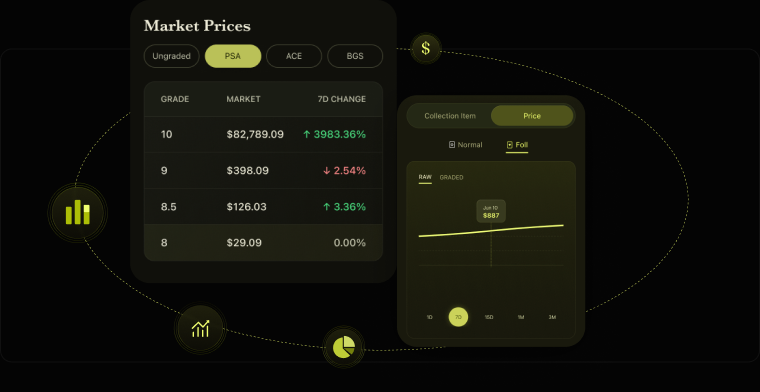
| What does the value use? | Published market price for the confirmed record and available history; sports cards may link to eBay search | Its FAQ describes marketplace transactions, a median from recent sales, fallback last sale, and an estimate when direct sales are absent |
| What happens next? | Keep distinct holdings in a portfolio | Add to collection; CollX also documents its marketplace |
A useful test with two copies of one card
Take one raw copy and one PSA slab of the same printing. In each app, confirm the exact variant, enter the raw condition or slab grade, and note whether the displayed figure is a current estimate, a last sale or a historical trend. This makes an appraisal question concrete. Neither a scanner result nor a marketplace estimate authenticates the card.
CollX is a fit if its built-in buy, sell and trade workflow matters to you. CardScanFox focuses on reviewed catalog records, condition-specific holdings and collection value. Both products support sports cards; neither should be described as uniquely supporting them.
Read the source of the number
CollX explains its median, fallback and estimate rules in its pricing FAQ. CardScanFox shows its published market price and available history; an eBay link for sports cards opens a separate search and is not a synced feed of sold transactions. Comparing those figures as if they are the same metric can mislead a seller.
Sources were reviewed November 24, 2026. We have not measured recognition or valuation accuracy on matched physical cards.
Compare scanning modes and memberships
CardScanFox accepts one card per browser photo and queues up to 10 separate photos in its mobile app. CollX documents Single Scan for one card and Batch mode for adding multiple scans to a collection. Its November release notes also describe a choice between front-only and front-and-back capture.
CollX offers a free app with a collection limit. Its site lists Pro at $9.99 per month with unlimited collection items and 500 monthly Scan+ credits. Gold is $24.99 per month and lists unlimited Scan+ and additional seller tools. Scan+ is CollX's enhanced identification mode. Compare those credits with CardScanFox’s successful-scan allowance as separate measures.
CollX app overview · CollX release notes · CollX Pro · CollX Gold