Organize
Digital card binder and catalog.
A searchable record of everything you own, so the collection stops being a stack of boxes you cannot see into.
 DownloadApp Store
 Store Link PendingGoogle Play
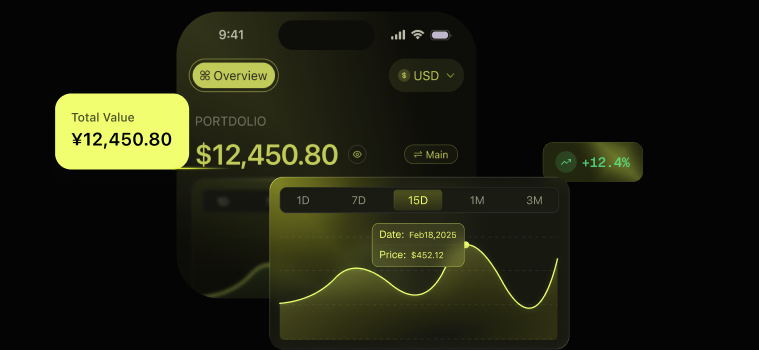
Turn saved cards into a searchable inventory.
Each confirmed record keeps its set, card number, finish, language, condition or existing slab grade, and quantity together. Add a stack through the bulk card scanner, then find the record without opening boxes.
Illustrative Card AI screen composite. Values shown are examples; market prices, history, and sold-listing availability depend on the selected card.
The problem a physical binder does not solve
Sleeves and binders protect cards. They do not tell you what you have. Past a few hundred cards, nobody can recall what is in which box, which is how people end up buying a card twice and selling one they meant to keep.
A digital card binder solves the recall problem. Every card you scan in becomes a searchable record, so organizing a card collection stops depending on memory.
A card catalog that holds the details
Each inventory entry links to a catalog card with its set and card number, then records the finish, language and either the raw condition or existing slab grade that you confirm.
- Search the collection by card details
- Filter by game and language
- Keep raw and graded copies of the same card as distinct entries
- See quantities where you hold more than one identical copy
Quantities and distinct copies
Once the collection is cataloged, you can see which cards you hold more than one of without treating every copy as identical.
Quantity represents identical copies in one entry. A different condition, finish, language or grade remains a separate entry, so a raw copy and a graded copy do not disappear into the same total.
Search and filters replace memory
The binder is organized around retrieval rather than portfolio performance. Search card details, narrow the inventory by game or language, and inspect the saved quantity and card state when you need the physical copy.
When the question changes from what you own to what it is worth, the same records feed the separate card collection tracker.
Related
Digital card binder questions.
How is a digital card binder different from a spreadsheet?
A spreadsheet stores whatever text you enter. Card AI links each binder entry to a catalog record and keeps the confirmed finish, language, condition or grade, and quantity available for search.
Can I see which cards I own more than one of?
Yes. Copies are stored as separate entries distinguished by condition, finish, language and grade, with quantities where you hold multiples, so duplicates are visible rather than buried.
Can I search my own collection?
Yes. Search the collection by card details and filter it by game or language, so finding a specific record does not mean opening boxes.
Does the card vault work across multiple games?
Yes. One searchable inventory can hold supported TCG and sports-card categories, and the game filter narrows the binder to the records you want to find.
Does it work as a card catalog app and inventory tracker?
Yes. The catalog view records what you own by card and game, while each inventory entry keeps quantity and the confirmed condition or existing slab grade.
Is there a TCG binder app view for a specific game?
Yes. The catalog filters by game, so you can use it as a TCG binder app for one supported game or view supported categories together.
Try the digital card binder in Card AI.
Build a searchable card catalog with quantities, finishes, languages, conditions, and existing slab grades.
DownloadApp Store
Store Link PendingGoogle Play